A few days before,I was going through the reviews of WP – Android, most of them gave positive responses but there were few who showed agony towards the app. In that mostly people complained about the UI look which isn’t much interactive in all. So going through the ideas page,I planned to Improve the Post List UI in Android as this is the most important section for the users using the app,because WP is of no use without making any Posts 🙂
Let’s talk about how can we improve the UI !!
The current Layout >
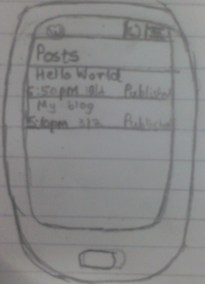 Looking at the layout ,it definitely seems that improvement is needed for sure.There are simple posts displayed with no other feature other than edit in it.
Users are really bored with this layout (from the reviews at Google Play Store).And they really want some new UI Experience as many other apps similar to WP have been updated with favorable look.
WordPress is at heart of people worldwide ,so why not improve it !!? ?!?!?
So for that i have prepared a rough sketch about the layout and added some interesting and eye-catching features in it…
Let’s Have a look
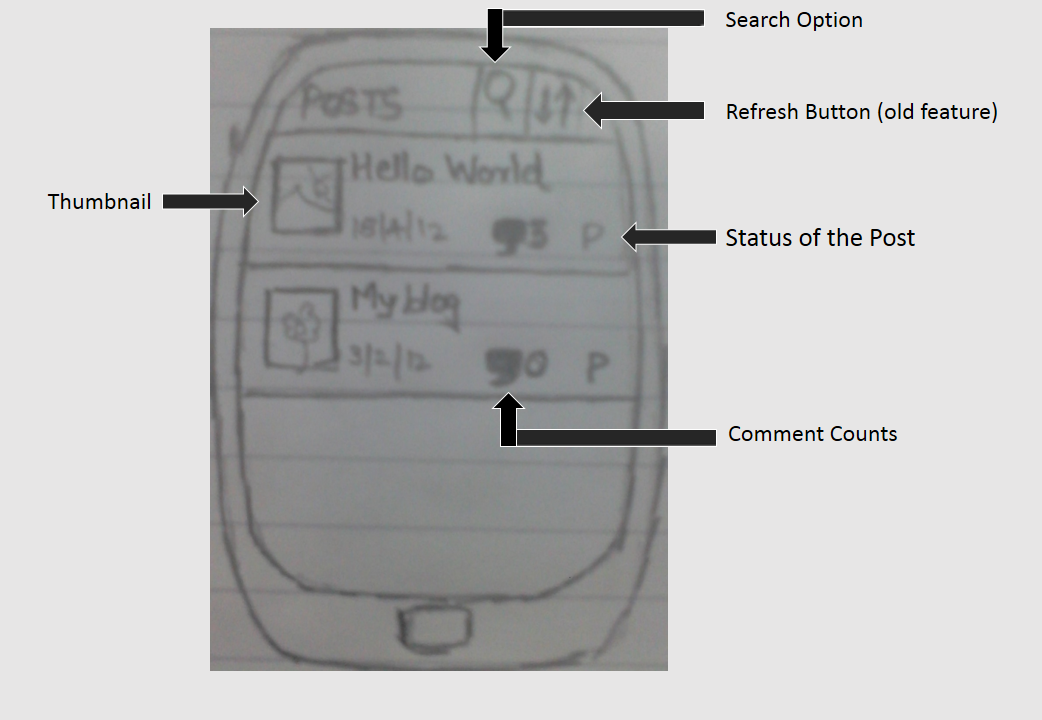 Hmm,that’s looking quite good…
The features displayed in the UI above are not the only features..There are still more…
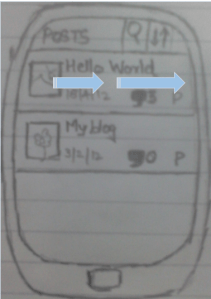
Swipe-to-edit:
As shown in the sketch,whenever i swipe any post towards right..It will redirect to the activity of editing the corresponding post.
Multiple Selection of Posts :
The current app doesn’t have the option to select multiple Posts and delete it.So this can be implemented .The task can be done in 2 ways:
i> Implementing Contextual Action Bar which will take some time .
ii>Showing the buttons which are currently display in Comments Activity can be done quickly.
Search Option :
This feature is totally new to WordPress-Android.There is no such way by which we can search the Posts if we have a large number of Post.So this will surely ease the user’s headache to search a specific post from the list.
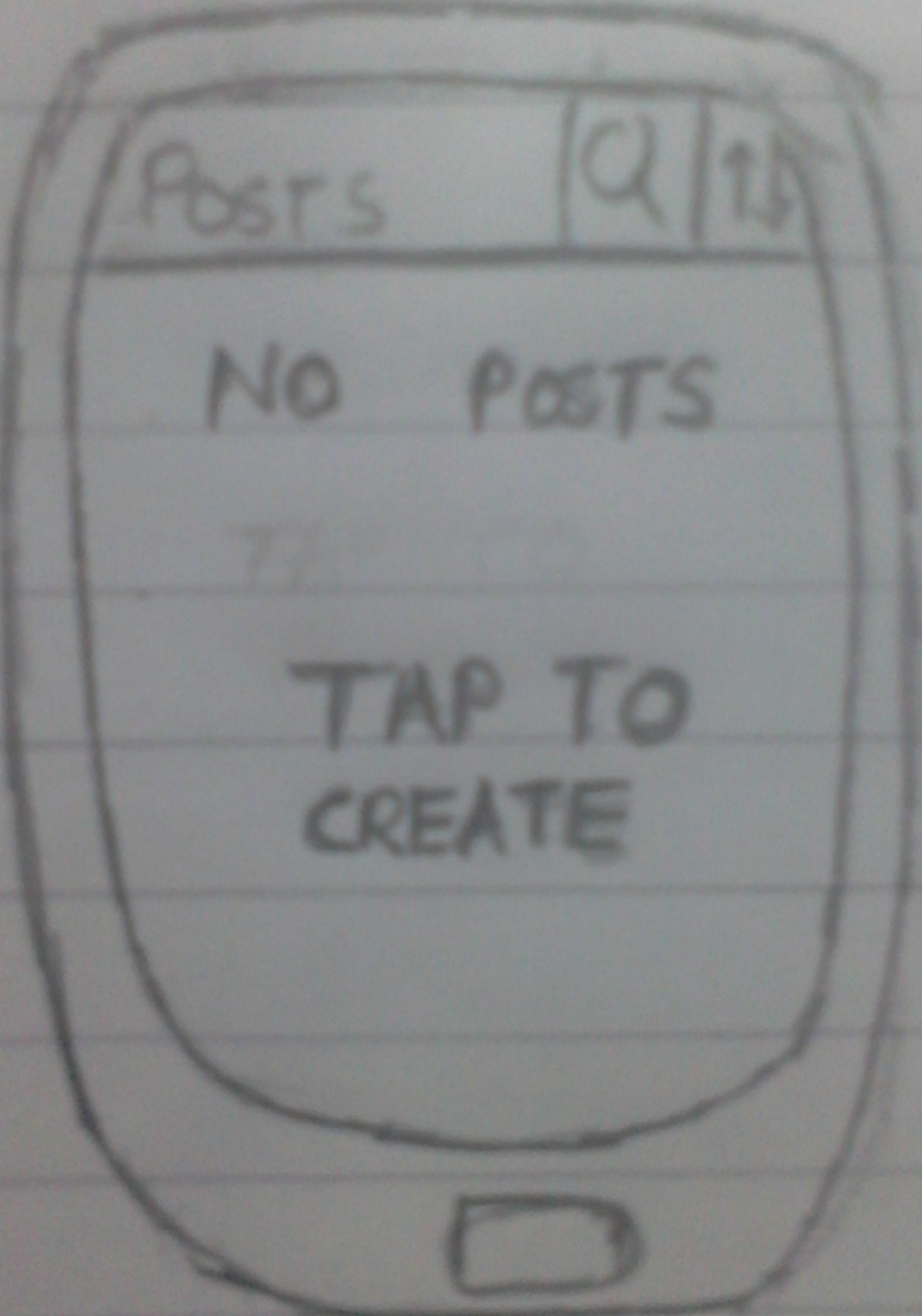
How can we forget to change the layout when there is no Post
So if there are no Post found,than a Placeholder will display as show in image beside this.
Now to create a new Post the user won’t have to go back and create a new post,he can direclty tap on the screen and Bahhh!!! New post will be created
So simple !! Isn’t it ?? Well I have tried to make the app more simple and flexible alongwith makeover of the layout for the Post…
Finally Wrapping this up!!!
This is just a glimpse of my idea.It will not remain just an IDEA because everything informed above is purely implementable and not for imagination!!!
Hope you have liked it….
Really “eXciTeD” in ImPlEmEnTiNg it. . . . >>>
Cheers WordPress
 aagam94
Leave a comment